

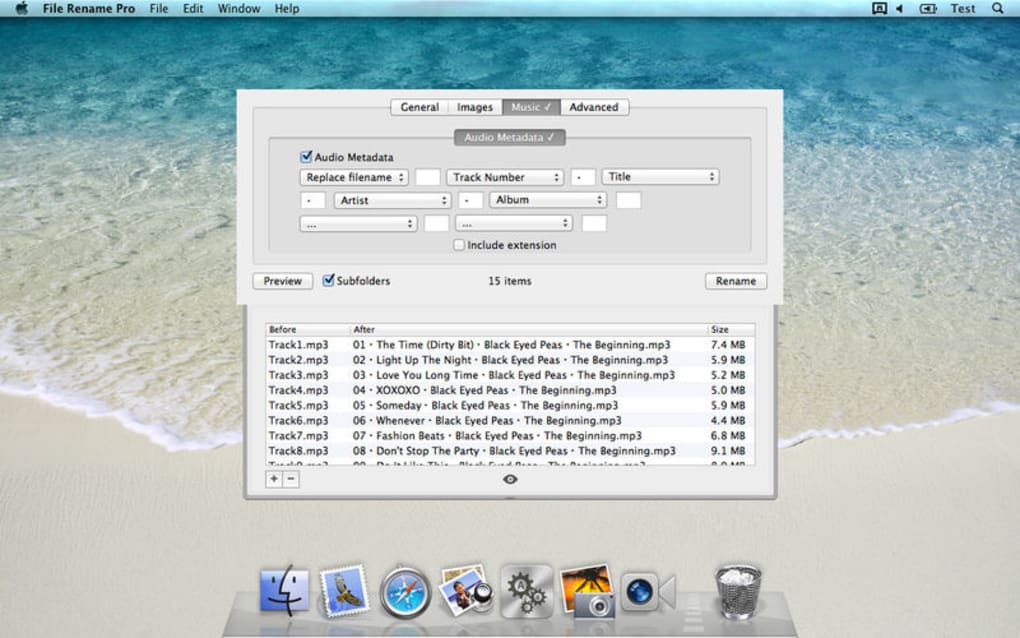
Description
Download File Rename Pro – Fast, Free, Secure Batch Renaming Tool
Overview
File Rename Pro is a lightweight yet powerful batch‑renaming utility designed for users who regularly handle large collections of digital files. Whether you’re a photographer sorting thousands of images, a developer organizing code snippets, or an office administrator managing document archives, File Rename Pro lets you rename a batch of files in just a few clicks. The interface is clean, the workflow is intuitive, and the underlying engine can process thousands of files in seconds without compromising system performance. Unlike generic file explorers that require manual renaming one by one, this tool offers flexible naming patterns, metadata extraction, and advanced preview capabilities, ensuring that you always know exactly how each file will be renamed before you commit. The application is free to download, comes with regular security updates, and works on the most common operating systems, making it a reliable companion for both Windows and macOS power users. Its low memory footprint and offline operation mean you can use it on restricted corporate networks without worrying about privacy or data leaks. In short, File Rename Pro combines speed, security, and simplicity into a single, downloadable package that turns a tedious chore into a swift, repeatable process.
Key Features
- Batch Renaming Engine: Rename thousands of files in a single operation with support for custom naming schemes.
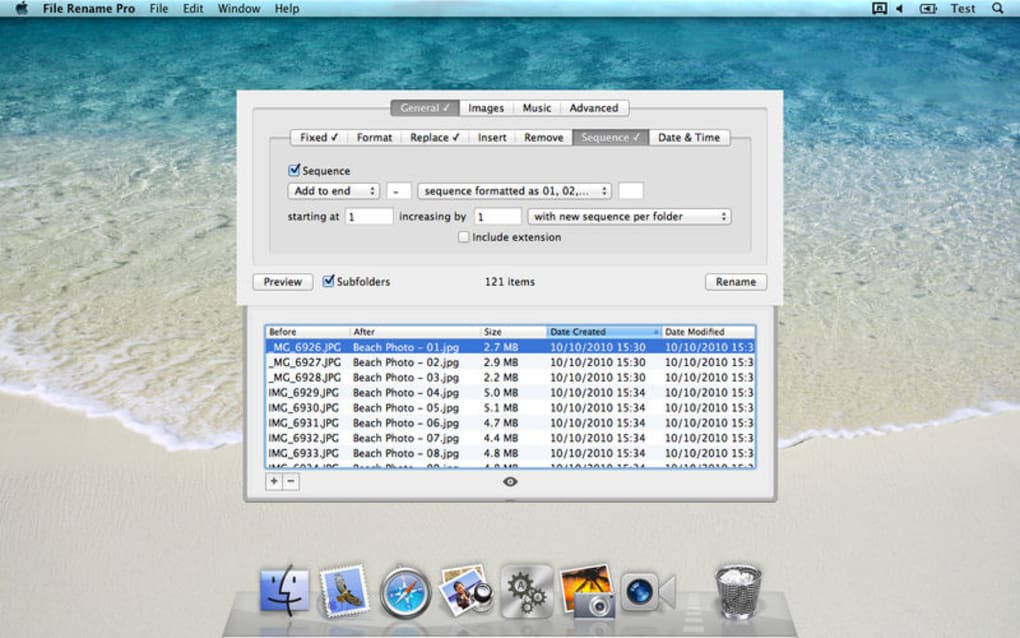
- Pattern‑Based Rules: Use sequential numbers, date stamps, custom text, or regular expressions to build dynamic filenames.
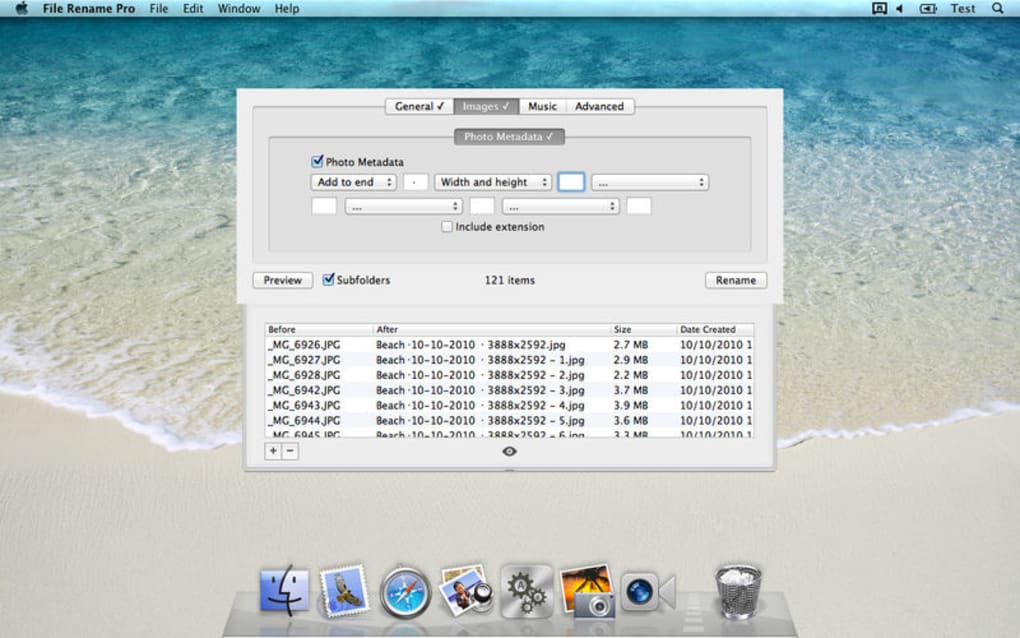
- Metadata Integration: Pull EXIF data from photos, ID3 tags from audio files, or PDF metadata to create context‑aware names.
- Live Preview: View a real‑time preview of the new filenames before applying changes, reducing the risk of errors.
- Undo & History: Revert the last renaming operation or browse a history log for audit purposes.
- Multi‑Folder Support: Process files across nested directories without leaving the main window.
- Export/Import Settings: Save your renaming presets as templates and share them with teammates.
- Secure Offline Operation: No internet connection required; all processing happens locally on your device.
- Lightweight Installer: Under 5 MB download size, quick installation, and minimal system impact.
- Regular Free Updates: Receive security patches and feature enhancements at no extra cost.
Installation & Usage Guide
Step‑by‑Step Installation
1. Download the Installer: Click the “Download File Rename Pro” button on the official site. The file is a signed executable for Windows (FileRenamePro‑Setup.exe) and a dmg package for macOS (FileRenamePro‑Installer.dmg).
2. Run the Installer: On Windows, double‑click the .exe file and follow the wizard. Accept the license agreement, choose the destination folder (default is C:\Program Files\File Rename Pro), and click “Install.” On macOS, open the .dmg, drag the app to the Applications folder, and confirm any security prompts.
3. Complete Setup: After installation, launch the application. The first run will display a short welcome tour highlighting the main panels – “Source Folder,” “Rename Rules,” and “Preview.”
Basic Renaming Workflow
1. Select Files: Click “Add Folder” or “Add Files” to load the items you wish to rename. The program automatically lists them in a sortable table.
2. Choose a Rule Set: From the “Rename Rules” panel, pick a predefined template (e.g., “Date + Sequential Number”) or create a custom rule using the “+ Add Rule” button.
3. Configure Parameters: Set the starting number, choose a delimiter, specify date format, or map metadata fields. Each change updates the live preview instantly.
4. Preview & Verify: Scan the preview column to ensure every filename meets expectations. You can toggle “Show Conflicts” to highlight duplicate names.
5. Execute: Press the “Rename” button. A progress bar indicates status, and upon completion a summary dialog reports success, any skipped files, and offers an “Undo” option if needed.
Advanced Tips
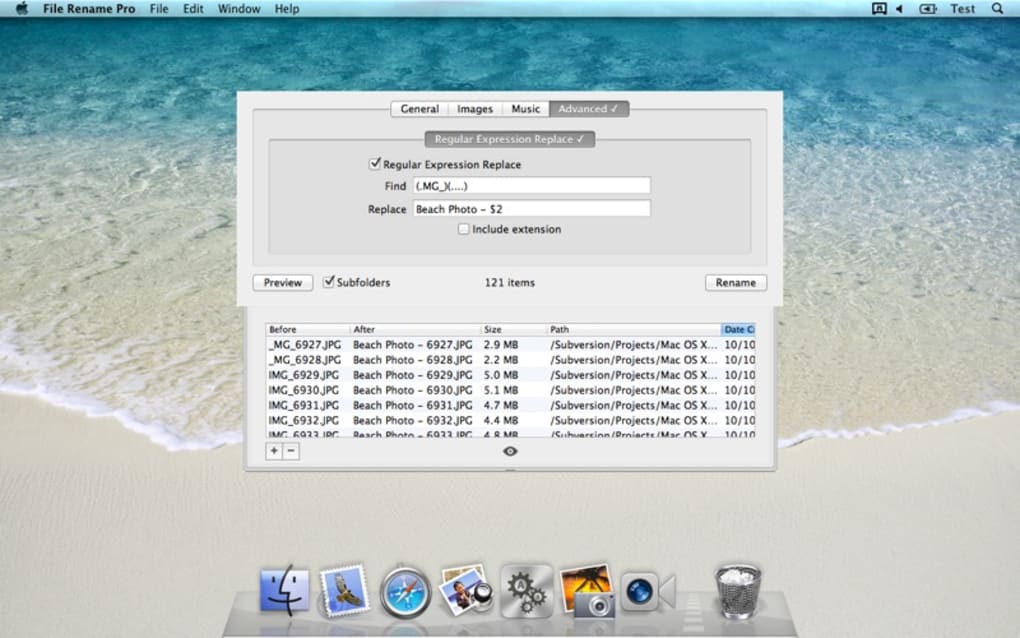
• Use Regular Expressions: For power users, the “Regex” rule enables pattern matching and replacement across complex filenames.
• Batch Export Templates: Save frequently used rule sets as *.frp templates and import them on other machines.
• Keyboard Shortcuts: Press Ctrl + O to open a folder, Ctrl + R to start renaming, and Ctrl + Z to undo the last operation.
• Integrate with Scripts: File Rename Pro supports command‑line arguments, allowing you to call it from batch files or automation tools like PowerShell.
Compatibility, Pros & Cons
File Rename Pro runs natively on Windows 10, Windows 11, and macOS 10.15 (Catalina) or later. The application is built with a cross‑platform framework, so the user experience is consistent across both environments. Minimum system requirements include a 1 GHz processor, 512 MB RAM, and 20 MB of free disk space. No additional runtime (such as Java or .NET) is required, making it ideal for machines with strict IT policies.
Pros
- Lightning‑fast batch processing, even with tens of thousands of files.
- Intuitive UI with real‑time preview eliminates guesswork.
- Extensive rule library supports metadata, regex, and custom patterns.
- Free to download and receive regular security updates.
- Low memory usage; runs smoothly on older hardware.
Cons
- No built‑in cloud sync; users must manage backups manually.
- Advanced regex features may have a learning curve for beginners.
- Limited to Windows and macOS; no native Linux version (though it can run via Wine).
Frequently Asked Questions
Can File Rename Pro rename files on external drives?
Yes. The application accesses any mounted volume, so you can batch‑rename files on USB sticks, external HDDs, or network shares just as you would on a local drive.
Is there a limit to the number of files I can rename at once?
Practically, there is no hard limit. The only constraints are your system’s RAM and CPU. Users have successfully renamed over 100,000 files in a single operation without issues.
How does File Rename Pro handle duplicate filenames?
If a generated name already exists, the preview highlights the conflict in red. You can enable the “Auto‑Increment” option to automatically append a unique suffix, or manually edit the rule to avoid duplicates.
Can I revert a renaming operation after the program is closed?
File Rename Pro stores a temporary log of the last operation. As long as you haven’t cleared the log or deleted the application data folder, you can reopen the program and click “Undo” to restore the previous names.
Is the software safe to use on confidential files?
Absolutely. All processing occurs locally; no data is transmitted to external servers. The installer is digitally signed, and regular updates address any discovered vulnerabilities.
Conclusion & Call to Action
File Rename Pro delivers exactly what its name promises: a fast, secure, and free solution for batch file renaming. Its feature‑rich engine, intuitive preview, and cross‑platform compatibility make it an indispensable tool for anyone dealing with large volumes of files on a regular basis. While it lacks native Linux support and advanced cloud integration, the core functionality is robust enough to outweigh these minor drawbacks. If you’re looking to streamline your workflow, eliminate tedious manual renaming, and keep your file system organized, there’s no better option on the market today.
Ready to experience hassle‑free renaming? Free Download the latest version of File Rename Pro now and start renaming with confidence.
Pros: Speed, UI simplicity, metadata support.
Cons: No Linux version, learning curve for regex.
Guides & Tutorials for File Rename Pro
How to install File Rename Pro
- Click the Preview / Download button above.
- Once redirected, accept the terms and click Install.
- Wait for the File Rename Pro download to finish on your device.
How to use File Rename Pro
This software is primarily used for its core features described above. Open the app after installation to explore its capabilities.
User Reviews for File Rename Pro 0
No reviews found





.webp)